Installing Sentry on macOS X + Vagrant (CentOS7) and Verifying It Works
Overview
https://sentry.readthedocs.org/en/latest/quickstart/
Environment
- MacOS 10.10.2 Yosemite
- Vagrant 1.6.5
- Virtual Box 4.3.20 r96996
- CentOS 7.1.1503 (Core)
- Python 2.7.5 (pip 6.0.8)
- Redis 3.0.0
- MySQL 5.6
- NginX 1.6.2
Prerequisites
The official Sentry site says you should have the following set up beforehand.
- Python2.7
- python-setuptools, python-pip, python-dev, libxslt1-dev, libxml2-dev, libz-dev, libffi-dev, libssl-dev
- DB (PostgreSQL: recommended, or MySQL) => I’ll use MySQL
- Redis
- NginX
The official Sentry site tests on Ubuntu,
but I’ve confirmed it works on CentOS in the environment above as well.
Add / Boot the CentOS7 box image in Vagrant and connect via SSH
- I set the IP to Vagrantfile’s default value “192.168.33.10”.
Install pip
- Workaround for the error that occurs when installing various modules with pip [command ‘gcc’ failed with exit status 1]
Install Redis
Install MySQL
Initial MySQL setup for Sentry
Install NginX / configure firewall to allow HTTP traffic
NginX /etc/nginx/conf.d/default.conf configuration for Sentry
Procedure
Install / start Sentry
Start celery
If celery isn’t installed, install it as follows
1 | pip install celery |
Access the URL
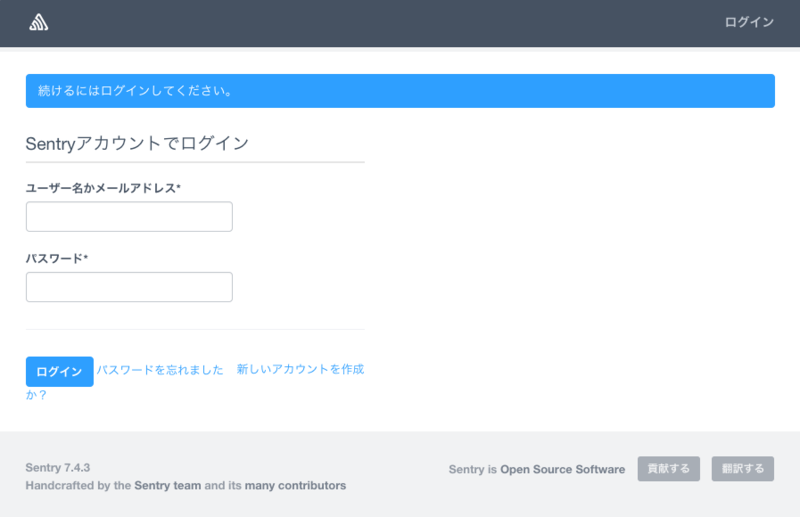
Access http://192.168.33.10
The login page is displayed.
Below, I’ll carry out the steps needed for logging.
- Login account
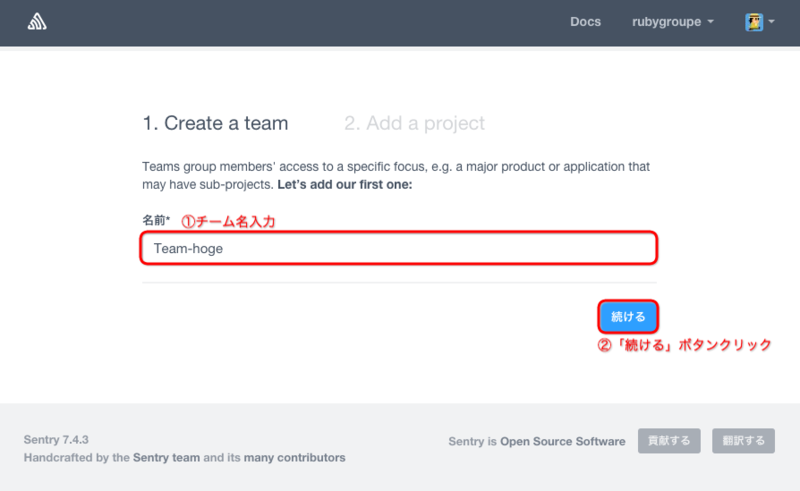
- Create a team
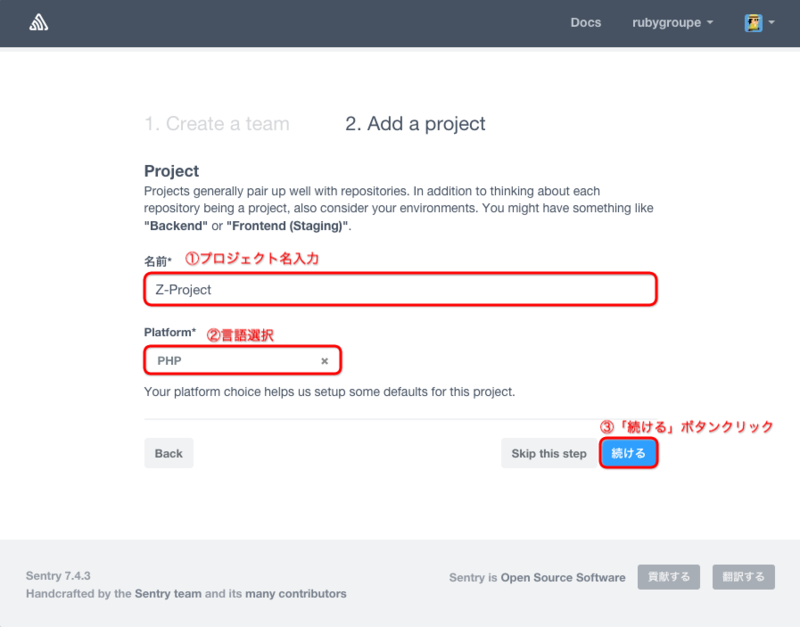
- Create a project
- Logging
Please log in.
- If you don’t have an account, create one from the “Create a new account” link
Create a team
Create a project
A new project has been created.
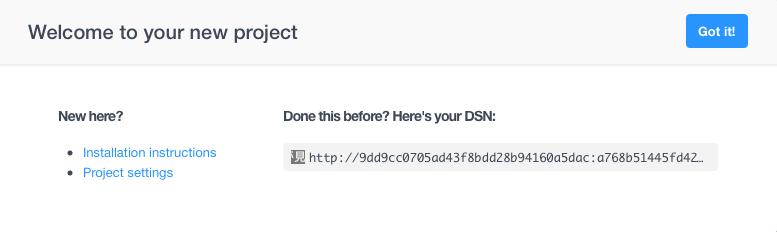
Clicking the “Go It !” button takes you to the page of the project you created.
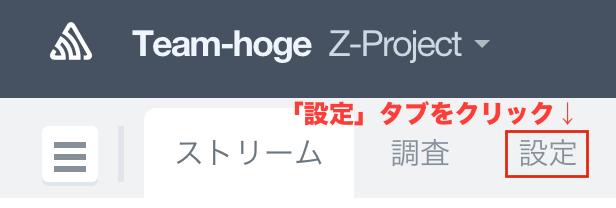
Click the “Settings” tab on the project page
Let’s actually send a log.

Copy the Default key
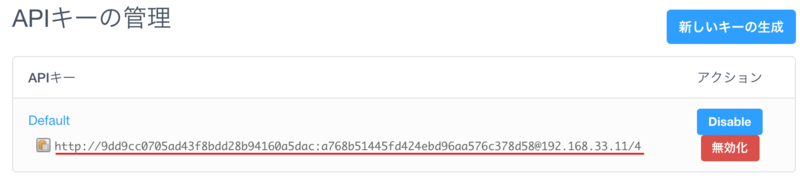
Test send
Run the following from the macOS X Terminal.
Send asynchronously with raven.
1 | raven test (the Default API key you copied) |
If raven isn’t installed, install it with brew as follows.
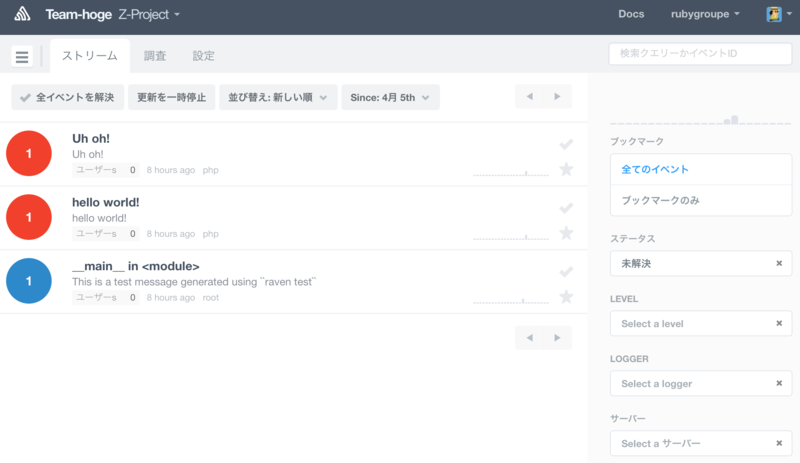
You can see that the event was added in the Stream tab.

Sending a log from PHP
The instructions are provided, so let’s check them.
After clicking the Settings tab, click “Setup & Installation”
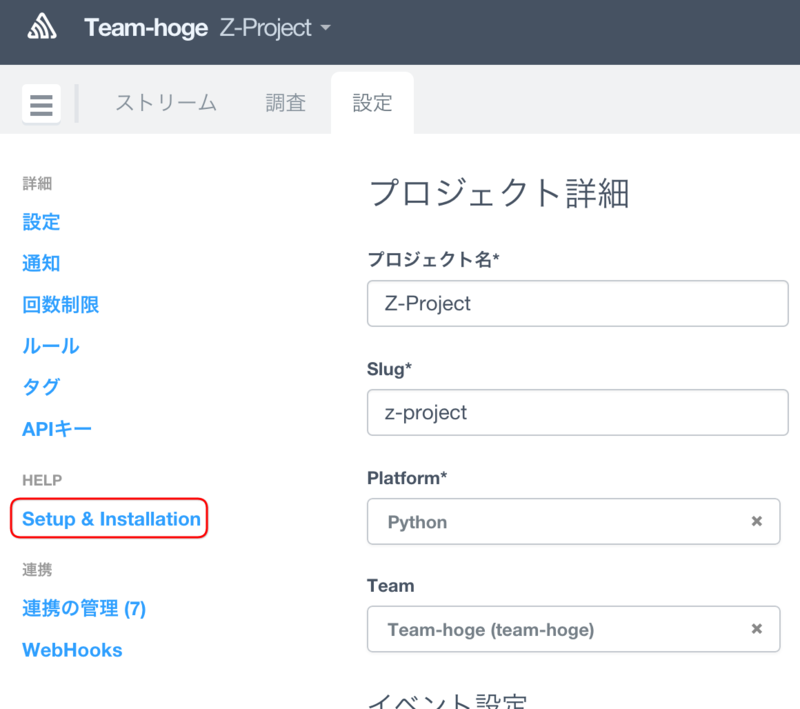
Click the PHP icon

On your local macOS,
pull raven-php from git and set it up.
1 | git clone https://github.com/getsentry/raven-php |
Create a new file “t.php”
- t.php
Run t.php
1 | php t.php |
As shown below, you can also confirm the log sent to Sentry from PHP.
You can also send logs from Python and Go.
Please give it a try.
That’s all
