
PWA Tutorial with Flask + Service Worker on Heroku
Overview
For me, Service Worker was something that went viral on dev.to.
I put together what I learned in a tutorial-like fashion while tracing through its overview and functionality.
As the title says, I ran Flask + Service Worker on Heroku and turned it into a PWA (Progressive Web App).
As a further measure against sleep, I thought: if I have a Service Worker, the service can run even offline, so maybe it’s fine even if it keeps sleeping? So I introduced one.
Adding a Service Worker to Flask
The source is on git.
A quick rundown of the key points when introducing it
- Make
/sw.jsaccessible in the main script,app.py.
1 | @app.route('/sw.js', methods=['GET']) |
- Place an empty sw.js inside the static directory
Basically, after these 2 steps, you implement each part of the Service Worker logic.
Install
In the install event below, all the file paths you want to cache are cached.
Conceptually, when you access the top page, the cache is generated at the moment the install event fires, when the Service Worker is installed into the browser.
1 | var urlsToCache = [ |
If you look at Chrome > Developer Tool > Application > Cache Storage, you can see that things are cached.
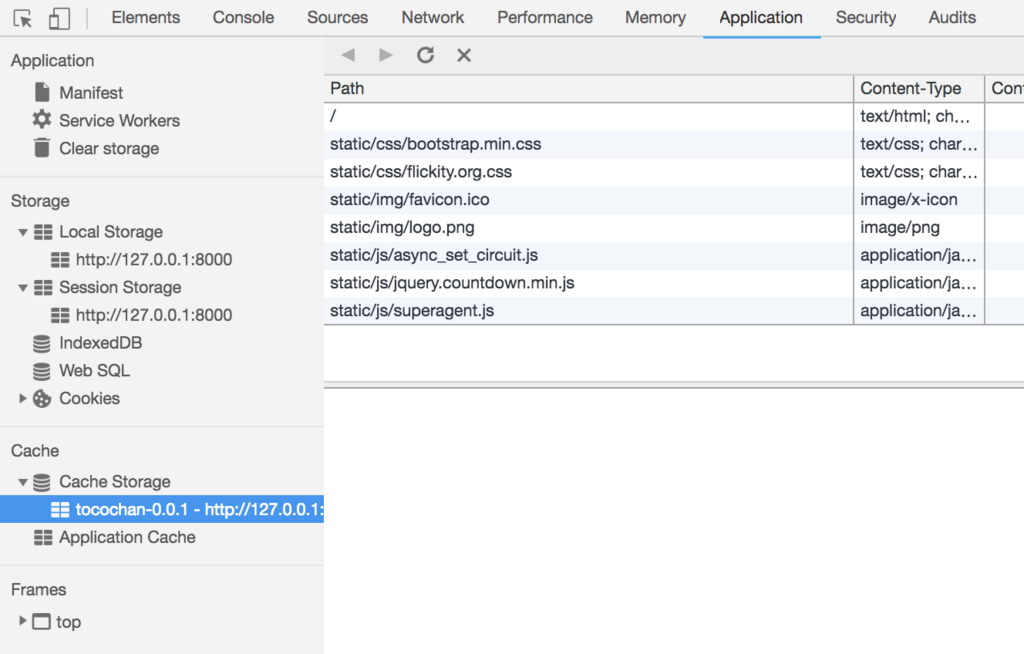
fetch
The logic below calls the files cached in the browser via the fetch event.
1 | self.addEventListener('fetch', function (event) { |
activate
Even once a Service Worker enters the active state, it cannot immediately control resources in the browser — it only becomes able to do so the next time you access the page.
As a result, for a user who visits only once, they won’t get to experience the performance improvement from the Service Worker.
To address that, the activate event below makes it possible to control resources right away.
1 | self.addEventListener('activate', (event) => { |
Basically, the settings above completed the Service Worker setup.
Comparing before and after, you can see in the Waterfall view that the resource load time shrinks noticeably.
Before
After
Summary
With a Service Worker, I was able to build a mechanism that keeps working even offline once content has been cached.
Working even offline — that’s appealing ♪
That said, when there are URLs with many query-parameter patterns, they tend not to get cached well. It made me think about what the caching strategy should be in such cases — perhaps, for now, only caching static files would be a good approach.
For example:
1 | /ts?circuit_id=1&station_id=1 was accessed, but |
Also, Service Worker does not yet support the POST method, and it seems an issue has been raised about it.
There was a blog proposing the following as a workaround, but the implementation is complex, and I got the impression that there is still room for development in this area.
There were some hardships when introducing the Service Worker below — it was content you couldn’t watch without tears.
Speeding up the Nikkei digital edition site and PWA support
I’m also using Workbox in another hobby app, and I’d like to write about that as well.
References

